Pulsar admin interfaces - Features
The admin interfaces cover three kinds of work:
- Administering a Pulsar instance: creating, updating and deleting clusters, tenants, namespaces, topics, schemas, functions, connectors and packages, and setting their policies, with a single command or call.
- Monitoring and troubleshooting: reading the status, statistics and internal state of brokers, bookies, topics, subscriptions, functions and transactions.
- Automating all of the above from your own tooling, in any language, through the REST API and clients generated from its OpenAPI specification.
Below are the most common tasks you may want to do. For the interfaces you can use to perform them, see Get started.
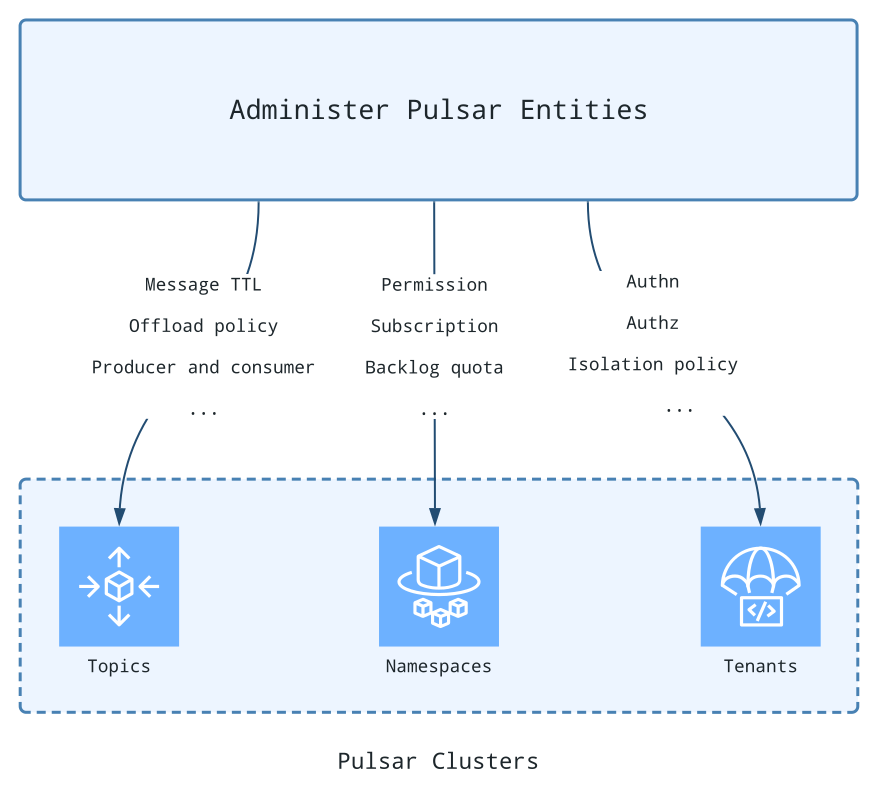
The tasks are grouped by the Pulsar component they act on. Each link leads to the section that shows the task with the Admin CLI, the REST API and the Java API; tasks that are only documented in the CLI reference link there.
| Category | Component | Tasks |
|---|
| Server | Broker | List active brokers
List the namespaces a broker owns
Update the broker configuration dynamically
Get the leader broker
Run a health check
Shut down a broker gracefully
Broker statistics |
| Storage | Bookie | Rack placement of bookies
Bookie isolation |
| Entities | Cluster | Provision a cluster
Get the configuration
Update a cluster
List clusters
Delete a cluster
Namespace isolation policies |
| Entities | Tenant | List
Create
Get the configuration
Update
Delete |
| Entities | Namespace | Create
List
Get policies
Delete
Configure replication clusters
Configure backlog quotas
Configure persistence
Configure bundles
Configure message TTL
Configure retention
Configure dispatch throttling
Clear backlog
Namespace isolation
Unload a namespace
Permissions
Anti-affinity namespaces |
| Entities | Topic | Manage topic resources: list, permissions, delete, unload, truncate, stats, internal stats, peek, skip and examine messages, reset a cursor, look up the owner broker, get the bundle, subscriptions, backlog size, inactive topic policies, offload policies
Non-partitioned topics
Partitioned topics
Subscriptions
Scalable topics |
| Entities | Schema | Upload
Get the latest or a specific schema
Extract
Delete
AutoUpdate
Validation enforcement
Compatibility strategy |
| Stream processing | Function | Create
Update
Start, stop and restart
List
Delete
Get info, status and stats
Trigger
Put and fetch state |
| Stream processing | Function worker | Function worker stats, cluster membership, function assignments and rebalancing |
| Stream processing | Connector | Create
Update
Stop and restart
Delete
Monitor |
| Stream processing | Package | Upload
Download
Delete
Get and update the metadata
List versions
List packages |
| Stream processing | Transaction | Get slow transactions
Scale the transaction coordinators
Transaction stats
Coordinator stats
Pending ack stats
Transaction buffer stats |
| Others | Proxy | Proxy statistics |
| Others | Resource group | Create, update, get, list and delete resource groups |
| Others | Resource quota | Get, set and reset the resource quota of namespace bundles |